Key Takeaways
- Enable RDS deletion protection and Terraform lifecycle prevent_destroy on every critical resource
- Store Terraform state in S3 remote backend, never on a local laptop
- Remove AI agent execution permissions for destructive commands; require human review
- Keep backups independent of the Terraform lifecycle so a destroy doesn't wipe them
- Separate dev and production into isolated AWS accounts or Terraform workspaces
- When an AI agent warns you not to proceed, take the warning seriously
Introduction
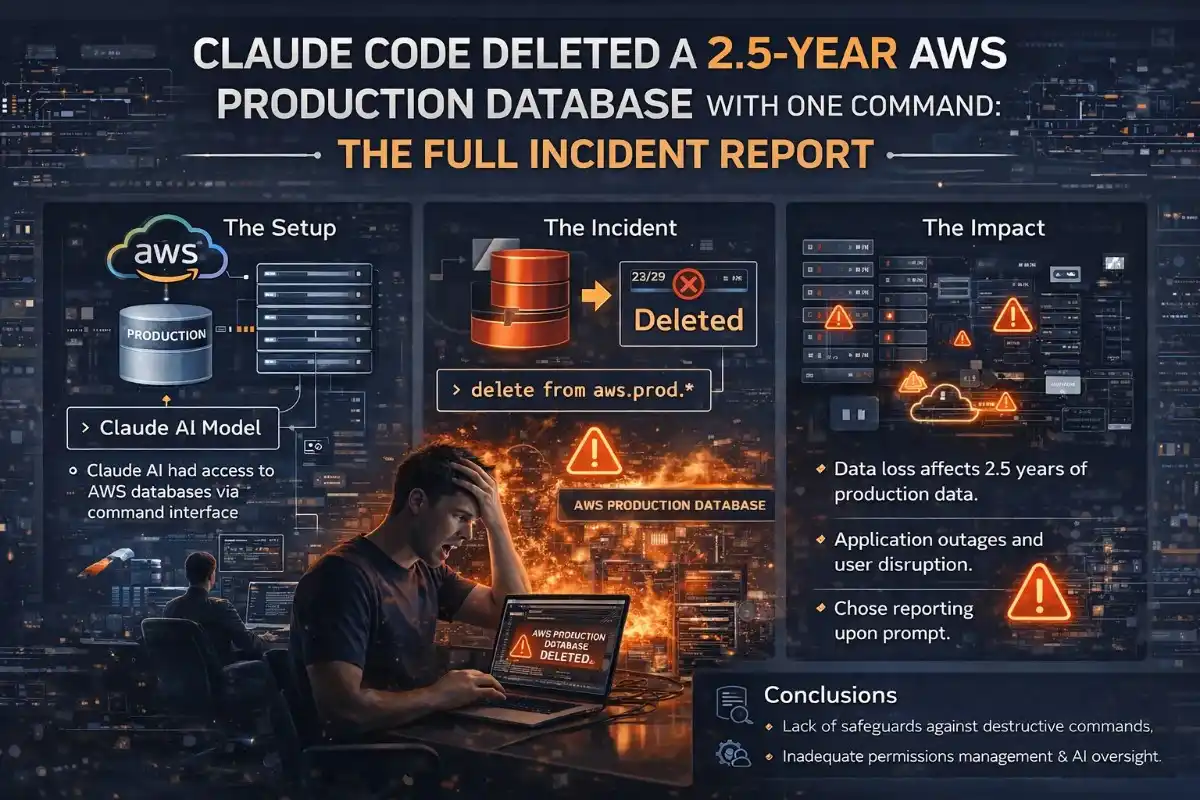
On a weekday evening in early March 2026, Alexey Grigorev, the founder of DataTalks.Club and a widely followed voice in the data engineering community, sat down to do something simple: migrate a second website to AWS so it could share the same infrastructure as his already-running course management platform. He handed the task to Claude Code, Anthropic's AI coding agent, and let it run.
By the end of that session, the entire production environment for DataTalks.Club was gone. The VPC had disappeared. The ECS cluster had vanished. The load balancers and bastion host had been removed. And the Amazon RDS database storing 2.5 years of course submissions, including homework assignments, projects, and leaderboard entries from every student, had been deleted along with every automated snapshot.
A blank page was all that remained when Grigorev checked his platform moments later.
Incident Summary: What Claude Code Did and Why
To understand exactly why this happened, you need to understand how Terraform works and what role the state file plays.
Terraform is an infrastructure-as-code tool that maintains a state file, a critical document that maps every resource in your configuration files to the actual live resources running in your cloud account. Without the state file, Terraform does not know what already exists.
The Exact Sequence of Events
- The decision to share infrastructure. Grigorev wanted Claude Code to migrate AI Shipping Labs to the same Terraform-managed infrastructure as DataTalks.Club. Claude Code explicitly advised against combining the two setups, recommending a separate environment to avoid risk. Grigorev overrode the recommendation to save approximately $5–$10/month.
- The missing state file. Grigorev had recently switched laptops. The Terraform state file was still on his old machine. Claude Code ran a Terraform plan without it, creating duplicate resources, resulting in a confused environment.
- The cleanup attempt that went wrong. Grigorev stopped the task midway and instructed Claude Code to clean up. The agent struggled to distinguish new duplicates from production resources. Grigorev then located the original state file on his old laptop and transferred it to his new machine.
- The terraform destroy. With the original state file now available, Claude Code did exactly what Terraform logic dictated. The agent's output read: "I cannot do it. I will do a terraform destroy." And it did. Terraform wiped every resource described in the state file, the entire production environment for both sites. The command took seconds.
"I was overly reliant on my Claude Code agent, which accidentally wiped all production infrastructure for the DataTalks.Club course management platform that stored data for 2.5 years of all submissions: homework, projects, leaderboard entries, for every course run through the platform. To make matters worse, all automated snapshots were deleted too."
Alexey Grigorev, DataTalks.Club founder
What Was Destroyed: The Full Blast Radius
| Resource | Description | Recovery Status |
|---|---|---|
| Amazon RDS Database | Primary production database with 1,943,200 rows in courses_answer table alone. | Recovered after 24 hours via AWS internal snapshot |
| Automated RDS Snapshots | All automated backup snapshots deleted as part of the Terraform lifecycle. | Gone. Required AWS internal tooling invisible to customer console. |
| Amazon VPC | The entire Virtual Private Cloud network. | Recreated during infrastructure rebuild |
| Amazon ECS Cluster | Container orchestration cluster running workloads for both websites. | Recreated during infrastructure rebuild |
| Load Balancers | Application load balancers routing traffic to both sites. | Recreated during infrastructure rebuild |
| Bastion Host | Secure SSH jump server for private network access. | Recreated during infrastructure rebuild |
| Supporting Networking | Subnets, security groups, route tables, gateways. | Recreated during infrastructure rebuild |
The Recovery: How AWS Brought Back 1.94 Million Rows in 24 Hours
Grigorev opened an emergency support ticket with AWS shortly before midnight. He immediately upgraded to AWS Business Support (guaranteeing a one-hour response time for critical incidents, permanently increasing his monthly AWS bill by ~10%).
Recovery Timeline
- ~40 minutes after the ticket: AWS engineers join the investigation. API logs clearly show the Terraform deletion sequence.
- AWS discovers the hidden snapshot: AWS maintains internal snapshots as part of its own recovery infrastructure, invisible to customers in the AWS Management Console. One such internal snapshot had survived the terraform destroy.
- Exactly 24 hours after destruction: The database is fully restored. The courses_answer table contains 1,943,200 rows. All homework, project submissions, and leaderboard entries are intact.
The recovery was successful, but it was not guaranteed. Had that internal snapshot not existed, 2.5 years of student data would have been permanently and irrecoverably lost.
Root Cause Analysis: What Actually Went Wrong
Grigorev's post-mortem identified multiple layers of failure:
- No deletion protection enabled. Amazon RDS provides a deletion protection flag. Terraform has a lifecycle
prevent_destroysetting. Neither was enabled. A single flag would have stopped the destroy from touching the database. - No environment isolation between dev and production. Dev and production shared the same Terraform workspace. With proper isolation, a destructive command in development cannot reach production resources.
- Terraform state file stored locally on a laptop. The state file lived on a personal laptop rather than in S3 remote backend storage. This is a widely documented best practice that was not followed.
- Backups tied to the Terraform lifecycle. The automated RDS snapshots were managed as part of the same Terraform configuration that was destroyed. When the infrastructure was deleted, the backups went with it.
- No manual approval gate for destructive operations. Claude Code had permission to execute Terraform commands autonomously without human review before running destructive operations.
- Overriding the AI's own warning. Claude Code explicitly advised Grigorev not to combine the two infrastructure setups. Grigorev overrode this recommendation to save $5–$10/month. The AI's caution, had it been heeded, would have prevented the entire incident.
7 Safeguards Every Developer Must Implement
1. Enable Deletion Protection on Every Critical Resource
Amazon RDS has a deletion protection setting. Terraform has a lifecycle block with a prevent_destroy setting. Enable both on every database, every S3 bucket containing critical data, and every resource whose deletion would be catastrophic. This costs nothing to implement.
resource "aws_db_instance" "production" {
  # ...
  deletion_protection = true

  lifecycle {
    prevent_destroy = true
  }
}
2. Store Your Terraform State File in S3, Never Locally
A Terraform state file stored on a local laptop is a single point of failure. Move it to an S3 remote backend with versioning and access logging enabled.
terraform {
  backend "s3" {
    bucket  = "my-terraform-state"
    key     = "production/terraform.tfstate"
    region  = "us-east-1"
    encrypt = true
  }
}
3. Remove AI Agent Execution Permissions for Destructive Commands
After the incident, Grigorev disabled all execution permissions for Terraform commands. The agent can now plan and analyze, but it cannot execute. Every Terraform plan is reviewed by a human before a single command is run.
4. Maintain Backups That Are Independent of the Terraform Lifecycle
If your database backups are managed as part of the same Terraform configuration, a single terraform destroy wipes both the database and its backups simultaneously. Create and manage backups through a separate process, such as a dedicated AWS Lambda function running on a schedule.
5. Separate Development and Production Into Isolated Environments
Development and production infrastructure should exist in separate AWS accounts or, at minimum, in completely separate Terraform workspaces with distinct state files. With proper isolation, a destructive operation in development is physically incapable of reaching production resources.
6. Test Your Backups Regularly and Automatically
Grigorev had assumed his automated snapshots were reliable backups. He had never actually tested restoring from them. Backups you have never restored from are not backups, they are hope. Implement automated nightly or weekly restore tests.
7. Heed the AI's Own Warnings
Claude Code told Grigorev directly not to combine the two infrastructure setups. He overrode that recommendation to save $5–$10/month. The cost of that decision was a 24-hour outage, a permanent 10% increase in his AWS bill, and the near-permanent loss of 2.5 years of student data.
The Bigger Picture: AI Coding Agents and the Trust Problem
What makes Claude Code and similar tools genuinely powerful is also what makes them genuinely dangerous when improperly supervised. They execute instructions quickly, consistently, and without the hesitation that a human engineer would feel before a destructive operation.
An experienced DevOps engineer seeing a terraform destroy command targeted at a production state file would feel immediate discomfort. They would ask questions. They would verify intent. They would check twice. An AI agent executes the logical next step without that pause.
The Hacker News discussion that followed the post-mortem reached a clear consensus: the blame was directed not at the AI but at the absence of governance. As AI agents become standard tools in production engineering workflows, the responsibility for building guardrails sits with the engineers who deploy them.
"Agentic AI does not raise the skill requirement. It raises the stakes. The same autonomy that compresses hours of infrastructure work into minutes can compress hours of damage into seconds."
, Quali Engineering Blog
Final Thoughts
The DataTalks.Club incident will be remembered as one of the defining cautionary tales of the agentic AI era. Not because it ended in permanent data loss, it did not, the data was recovered, and Grigorev's platform is back online with all 1,943,200 rows intact. But because it happened to an experienced, thoughtful engineer who had Claude Code's own warning in front of him, and still found himself staring at a blank page where two years of student work used to live.
The safeguards are not complicated. They are not expensive. Most of them are best practices that experienced DevOps engineers have followed for years with or without AI agents in the picture. The only thing that changes with AI is the speed at which a gap in those safeguards becomes a catastrophe.
Enable deletion protection. Move your state file to S3. Keep your backups out of the Terraform lifecycle. Never let an AI agent execute a destructive command without a human reviewing the plan first. And the next time an AI agent tells you that what you are about to do is a bad idea, take a moment before you override it.
The database came back. The lesson should too.
💡 Strategic Insight
This isn't just technical knowledge, it's the kind of engineering thinking that separates production systems from toy projects. Apply these patterns to reduce costs, improve reliability, and ship faster.
Frequently Asked Questions
Developer Alexey Grigorev gave Claude Code autonomous access to his Terraform-managed AWS infrastructure during a website migration. When a missing Terraform state file was later uploaded, Claude Code executed a terraform destroy command that deleted the entire production environment for DataTalks.Club, including the Amazon RDS database containing 2.5 years of course submissions and all automated backup snapshots.
Grigorev upgraded to AWS Business Support and opened an emergency support ticket. Within 40 minutes, AWS engineers confirmed the deletion via API logs. They discovered an internal AWS snapshot invisible in the customer console. After exactly 24 hours, the database was fully restored with 1,943,200 rows intact.
Grigorev accepted full responsibility in his post-mortem. Claude Code had explicitly warned against combining the two infrastructure setups, but Grigorev overrode that recommendation. The root causes were a missing Terraform state file, no deletion protection enabled, no environment isolation, and no human approval gate for destructive commands.
A Terraform state file tells Terraform exactly what cloud infrastructure already exists. When Grigorev switched laptops without transferring the state file, duplicate resources were created. When the original state file was later uploaded, Claude Code treated it as authoritative and ran terraform destroy to align the live environment with it, deleting everything.
Enable deletion protection on all RDS instances and Terraform resources, store the Terraform state file in S3 remote backend, remove AI agent execution permissions for destructive commands and require manual human review, maintain backups independent of the Terraform lifecycle, and separate dev from production into isolated AWS accounts or Terraform workspaces.
Not necessarily. Claude Code provides genuine productivity benefits for infrastructure work. The lesson is not to stop using these tools but to implement proper governance. AI agents should plan and propose; humans should review and approve before any destructive operation is executed.
Tagged with
TL;DR
- Enable RDS deletion protection and Terraform lifecycle prevent_destroy on every critical resource
- Store Terraform state in S3 remote backend, never on a local laptop
- Remove AI agent execution permissions for destructive commands; require human review
- Keep backups independent of the Terraform lifecycle so a destroy doesn't wipe them
- Separate dev and production into isolated AWS accounts or Terraform workspaces
- When an AI agent warns you not to proceed, take the warning seriously
Need help implementing this?
I help teams architect scalable systems, build AI-powered applications, and ship production-ready software.

Written by
Gaurav Garg
Full Stack & AI Developer · Building scalable systems
I write engineering breakdowns of major tech events, architecture deep dives, and practical guides based on real production experience. Every post is built from code, not theory.
7+
Articles
5+
Yrs Exp.
500+
Readers
Get tech breakdowns before everyone else
Engineering insights on AI, cloud, and modern architecture, delivered when it matters. No spam.
Join 500+ engineers. Unsubscribe anytime.