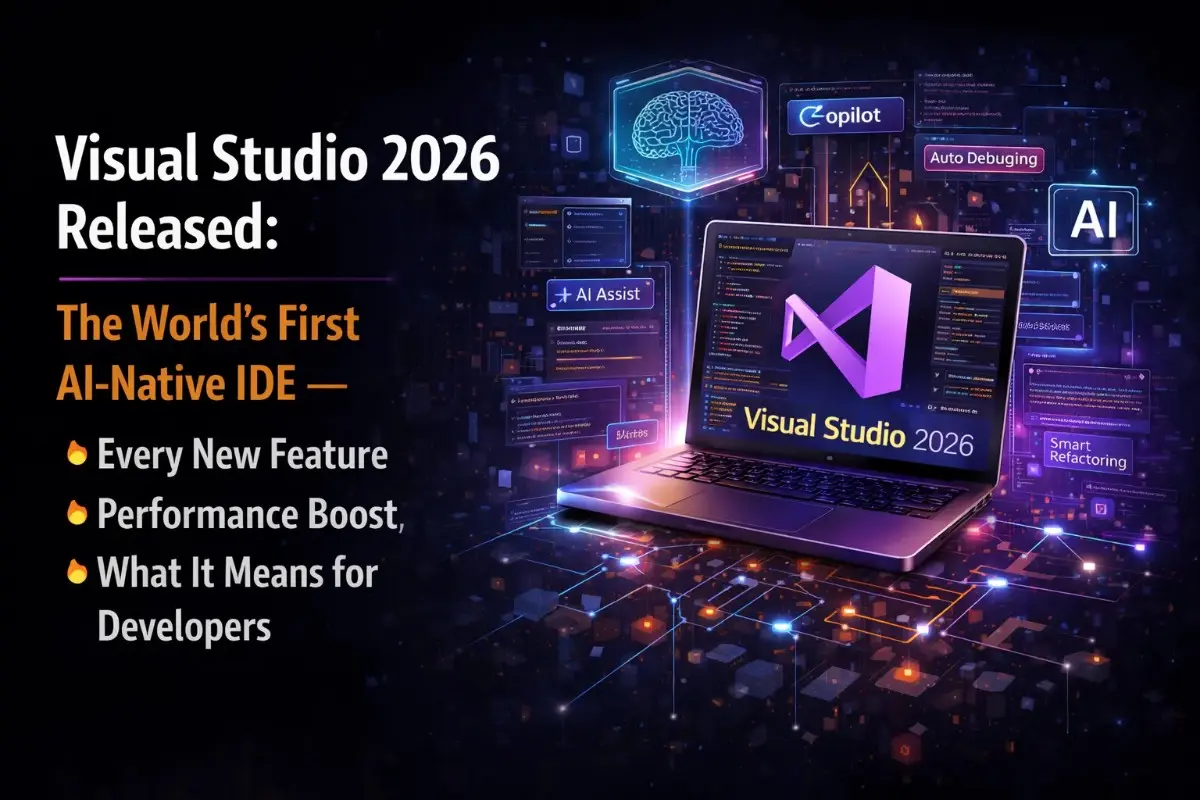
Key Takeaways
- Large enterprise .NET solutions load 2x faster than in VS 2022.
- Debugger Agent validates bugs against real runtime behavior instead of static analysis.
- Native MCP support enables unified authentication and tool integration for AI agents.
- AI agents autonomously handle multi-step tasks like debugging, profiling, and code review.
- Refreshed UI based on Fluent UI with 11 new themes and 30% reduced memory usage.
The Core Shift: From "AI as a Tool" to "AI as a Partner"
Previous versions of Visual Studio treated GitHub Copilot as a feature you enabled. Visual Studio 2026 treats it as infrastructure. The difference shows up in how deeply Copilot is woven into experiences that have nothing to do with code completion: debugging sessions, performance profiling, pull request preparation, build optimization, container configuration, and log analysis all now have Copilot context baked in rather than available as an opt-in overlay.
Microsoft frames the philosophy clearly: Visual Studio 2026 applies AI to elevate existing practices rather than replace developer judgment. The IDE handles the busywork (the repetitive analysis, the pattern recognition, and the boilerplate generation) while developers retain control over architectural decisions and review. Whether you agree that this balance has been achieved is something each team will evaluate for themselves, but the approach is coherent and consistently applied across the release.
GitHub Copilot: What Actually Changed
GitHub Copilot in Visual Studio 2026 is not an incremental update to the Copilot you know from Visual Studio 2022. It has been rebuilt around three capabilities that change how developers interact with it.
Copilot Agent Mode
Agent Mode is the most significant addition. Unlike traditional code completion, which responds to individual prompts, Agent Mode can plan and execute multi-step tasks autonomously. When you ask it to create a REST API for user management, it does not produce a code snippet: it designs the API structure, writes all the endpoints, adds input validation, generates unit tests, and produces documentation, treating the request as a specification rather than a prompt. Developers set the autonomy level (low, medium, or high) and specify which categories of actions require explicit approval before execution.
GitHub Cloud Agent
The Cloud Agent allows developers to delegate longer-running or repetitive work to Copilot from inside the IDE without managing the task themselves. You hand off a task: a UI cleanup, a multi-file refactor, or a documentation update: and the agent works on it asynchronously on GitHub, creating a draft pull request for review when complete. The agent requires a solution connected to a GitHub repository and is enabled through the Copilot badge dropdown in settings. Microsoft describes it as "ready to help you offload repetitive or time-consuming work," and early adopters report it as particularly effective for doc updates and large-scale renaming tasks that are tedious but straightforward.
Context-Aware Code Assistance
Copilot in Visual Studio 2026 operates with full context across the entire solution, not just the open file. It understands your repository structure, reads remote indexes for awareness of external symbols, pulls context from URLs you paste directly into Copilot Chat, and automatically discovers and uses skills defined in your repository or user profile. The December 18.1.0 servicing update improved response quality when referencing specific lines in code, reflecting early adopter feedback about precision in multi-file contexts.
Right-Click Context Menu Integration
Copilot Actions are now available directly from the editor's right-click context menu. Common AI-assisted tasks (generating comments, explaining selected code, and optimizing a selection) are now one-click operations without switching to a separate Copilot surface. The Optimize Selection action is particularly notable: it appears when code is highlighted and prompts Copilot to analyze both the selection and surrounding context, offering targeted suggestions focused on performance, maintainability, reliability, and architecture.
The New AI Agents: Debugger Agent and Profiler Agent
These two agents are where Visual Studio 2026 makes its most concrete argument for what "AI-native" means in practice.
Debugger Agent: Agentic Bug Resolution
Traditional debugging tools (including previous Copilot debugging integrations) work from static analysis. They look at code and infer what might be wrong. The Debugger Agent in Visual Studio 2026 works differently: it validates bugs against real runtime behavior by executing the application and observing what actually happens.
The workflow is a complete agentic loop:
- You start from a GitHub issue, an Azure DevOps work item, or a plain natural language description of the bug
- The agent maps the problem to your local source code and guides you through reproduction
- It instruments the application and isolates the root cause through live execution rather than guessing
- It proposes a fix and validates it by running the application again
- You can interact with the agent throughout: providing additional context, discussing your theory of the bug, or refining the fix in real time
The distinction from earlier static analysis approaches is significant. When the Debugger Agent says a fix is correct, it has actually run the code and verified the behavior, not just pattern-matched against common bug types. Microsoft calls it "runtime-proofed" guidance, and early adopters in the Insiders Channel cited it as one of the most practically useful additions in the release.
Profiler Agent: Intelligent Performance Analysis
The Profiler Agent integrates AI into the performance profiling workflow that has always been one of Visual Studio's strengths but one of its more technically demanding features. The agent highlights performance bottlenecks automatically and suggests specific optimizations, surfacing actionable recommendations rather than raw profiling data that developers then have to interpret themselves.
For C++ projects specifically, Microsoft shipped a GitHub Copilot build performance feature in Public Preview that uses Build Insights to identify and fix build performance issues. The agent analyzes the build process and suggests targeted changes: creating precompiled headers, optimizing include paths, removing unused includes. It then implements those changes, reducing build times in a way that previously required significant manual investigation.
Performance: The Numbers That Matter
The AI features are the headlining story, but the performance improvements in Visual Studio 2026 may have more immediate daily impact for the majority of developers, particularly those working on large enterprise codebases.
| Metric | Visual Studio 2022 | Visual Studio 2026 | Improvement |
|---|---|---|---|
| Large .NET solution load time | Baseline | ~50% of baseline | 2x faster |
| Memory usage | Baseline | ~70% of baseline | ~30% reduction |
| UI freeze scenarios | Baseline count | Less than half remaining | 50%+ eliminated |
| IDE responsiveness during indexing | Degraded during background ops | Remains responsive | Continuous improvement |
| Extension load performance | Synchronous extension host | Asynchronous extension host | Faster startup with extensions |
The 2x solution load improvement is the number that resonates most with teams working on large codebases. When a solution that previously took 90 seconds to open now opens in 45, that is a felt improvement across every daily workflow that starts with opening a project. The underlying performance work was a reengineered shell framework, not surface-level optimization: which is why the gains show up consistently across different project types rather than just in specific benchmarks.
MCP Support: AI Agents Connected to Your Tools
Visual Studio 2026 ships with built-in Model Context Protocol support, making it one of the first major IDEs to integrate MCP natively rather than through a third-party extension. The integration covers three areas.
First, unified MCP authentication lets developers manage credentials for all MCP servers from a single location in the IDE, including Microsoft and GitHub accounts alongside any other provider. Previously, credential management for different MCP servers was fragmented. Second, MCP server instruction files (documentation that ships with MCP servers describing their capabilities) are now viewable directly in Visual Studio without leaving the IDE. Third, Visual Studio 2026 ships with a built-in NuGet MCP server that connects Copilot Chat to your project's package dependencies. Through the MCP server, you can ask Copilot to identify and fix package vulnerabilities, and update all packages to their latest compatible versions.
The broader implication is that as the MCP ecosystem grows (now at 97 million monthly SDK downloads and over 10,000 active public servers), Visual Studio developers can connect any MCP-compatible tool directly to Copilot Chat without writing integration code. Copilot then uses those tools automatically when they are relevant to the question or task at hand.
Language and Framework Updates
.NET 10 and C# 14
Visual Studio 2026 ships with full support for .NET 10 and C# 14, including modern project templates, upgraded debugger integration, and upgraded profiler integration for .NET workloads. First-class support for .NET Aspire makes it easier to build cloud-native applications with a strong local development experience. The Visual Studio release cycle has been decoupled from the .NET tooling release cadence, meaning future .NET versions will no longer wait for major Visual Studio releases.
C++ Improvements
C++ developers get the latest language features, STL updates, and cross-platform support. Updated CMake tooling now includes support for CMake 4.1.2. The C++ agent introduced in this release handles automated tasks including diagnosing performance issues and refactoring, using the same agentic framework as the C# agent. Stronger Podman support has been added to container workflows for developers working in containerized environments.
JSON Editor Promoted to Core
A quality-of-life change that many developers will notice on installation: the JSON editor is now part of the Core Editor, rather than requiring the Web Development workload. Developers who need JSON editing capabilities (which is nearly everyone working with configuration files, API contracts, or package definitions) no longer have to install the full web development toolset to get it. The updated JSON editor also now supports newer JSON Schema specifications including Draft 2019 and Draft 2020, with features like $defs, $anchor, and improved vocabulary support for better IntelliSense and validation.
Mermaid Diagram Preview
The Markdown Editor now includes a Mermaid diagram preview. Write Mermaid syntax directly in a Markdown file, click the preview button, and Visual Studio renders the diagram inline. This is particularly useful for architecture documentation, sequence diagrams, and flowcharts that are increasingly part of technical documentation workflows: developers can now author and preview architecture diagrams without leaving the IDE.
DevOps and CI/CD Improvements
Azure DevOps integration receives a significant overhaul in Visual Studio 2026. Pipeline configuration is faster, YAML IntelliSense has been updated, and native support for GitHub Actions has been added. The most practically useful change: build and deployment logs now include AI-generated summaries, and developers can query logs conversationally through Copilot Chat. Instead of scrolling through hundreds of lines of build output to find the failure, you can ask "why did this build fail?" and get a direct answer with the relevant log lines highlighted.
Container tooling adds improved Dockerfile analysis, dependency scanning, and contextual recommendations for optimizing image size and build time. Microsoft focused on continuity across the toolchain to support teams using mixed environments: the changes are additive rather than requiring migration to a new container workflow.
UI Redesign: Fluent UI and 11 New Themes
Visual Studio 2026 introduces a refreshed interface built on Microsoft's Fluent UI design system, featuring crisper lines, improved iconography, better spacing, and a more modern visual hierarchy. The Options window, historically one of the most cluttered dialogs in the IDE, has been redesigned to be more navigable. Extension management has been simplified.
Eleven new tinted color themes are included, designed for long development sessions with accessibility as a baseline requirement rather than an afterthought. The themes range from subtle warm and cool tints to more distinctive color options, giving developers more personalization without sacrificing the visual clarity needed for day-long coding sessions.
The underlying motivation is reducing visual overload. Previous versions of Visual Studio accumulated UI elements across releases without always rationalizing how they fit together. Visual Studio 2026 applies a "calm and intentional" design philosophy (fewer competing visual elements, clearer hierarchy, and more white space).
Compatibility and Upgrade Path
Compatibility is the practical concern that determines whether teams actually upgrade or defer. Microsoft has made the path straightforward.
- Visual Studio 2026 is fully compatible with all projects from Visual Studio 2022: no migration steps required
- More than 4,000 existing Visual Studio 2022 extensions work without modification
- Extension developers gain new APIs for real-time telemetry and agent integration, letting them build AI-enhanced tools that interact directly with Copilot and IDE agents
- Side-by-side installation is supported: Visual Studio 2026 installs alongside Visual Studio 2022 without replacing or interfering with it
- Visual Studio 2022 users retain their existing MSVC compiler version when upgrading to the new IDE
- Settings from Visual Studio 2022 carry over automatically
The side-by-side installation is the most important compatibility feature for teams that cannot afford to disrupt ongoing projects. Developers can evaluate Visual Studio 2026 on lower-stakes work while keeping Visual Studio 2022 as the production environment, then migrate fully when confident.
What the Developer Community Is Saying
Early reactions from the developer community have been genuinely mixed, which is arguably a healthy sign for a release of this scope. On Reddit's r/dotnet, several developers welcomed the AI integrations while noting that communication outside official Microsoft channels has been fragmented: the feature set is large enough that many developers discovered capabilities only through blog posts and community writeups, rather than in-IDE discovery.
The performance improvements have been consistently well-received, particularly by developers who work on large legacy .NET solutions where Visual Studio 2022 load times had become a friction point. The Debugger Agent has generated the most enthusiastic early responses from teams that do a lot of bug reproduction work from issue trackers: the ability to hand a GitHub issue URL to the agent and have it drive the debugging session is meaningfully different from what was possible before.
The main criticism has been around AI feature discoverability. With Copilot now surfaced in so many places (the editor, the right-click menu, the profiler, the debugger, the build logs, and the Copilot Chat panel), developers report needing time to develop a mental model of which Copilot surface to use for which task. This is a real friction point that Microsoft is actively addressing through in-IDE guidance and tooltip improvements in servicing updates.
Should You Upgrade Right Now?
The honest answer depends on what kind of development you do.
For .NET developers on large codebases, the performance improvements alone make the upgrade worth evaluating immediately. The 2x solution load time improvement is not theoretical: it shows up in the daily workflow every time you open a project, and the 30% memory reduction matters on machines that are currently running close to their comfortable ceiling.
For teams heavily invested in debugging complex bugs from issue trackers, the Debugger Agent is worth evaluating soon rather than later. The workflow difference between "read a bug report and start debugging manually" and "hand the issue URL to the Debugger Agent and review its runtime findings" is substantial enough that teams doing a lot of this work will feel the improvement quickly.
For teams using MCP tools in their AI workflows, native MCP support in the IDE removes integration friction that was previously handled through workarounds or third-party extensions.
For teams where the current setup is working well and stability is the priority, the side-by-side installation path lets you evaluate without commitment. There is no deprecation pressure on Visual Studio 2022 yet, and the compatibility guarantees are strong enough that the risk of evaluation is low.
💡 Strategic Insight
This isn't just technical knowledge, it's the kind of engineering thinking that separates production systems from toy projects. Apply these patterns to reduce costs, improve reliability, and ship faster.
Frequently Asked Questions
Visual Studio 2026 (version 18.x) was officially released as a General Availability build on December 16, 2025, with the most recent major update released on March 31, 2026. The Insiders Channel preview had been running since September 9, 2025. The GA release marks Microsoft's first officially designated AI-native version of Visual Studio.
The Debugger Agent in Visual Studio 2026 is an AI-powered debugging workflow that validates bugs against real runtime behavior instead of relying on static analysis. It walks developers through a complete agentic loop: understanding the issue, reproducing it, instrumenting the application, isolating the root cause, and validating the fix through live execution. Developers can start from a GitHub or Azure DevOps issue, or simply describe the bug in natural language. Unlike traditional debuggers, you can interact with the agent during debugging to provide additional context or refine the fix in real time.
Visual Studio 2026 delivers its fastest startup and solution load times to date. Large enterprise .NET solutions open in roughly half the time compared to Visual Studio 2022. The IDE remains responsive during background indexing and restore operations that previously caused UI freezes. Memory usage is reduced by approximately 30 percent on average, and Microsoft reports cutting more than half of the UI freeze scenarios present in Visual Studio 2022.
Yes. Visual Studio 2026 has built-in MCP support including unified authentication management for MCP servers, the ability to view MCP server instruction files directly in the IDE, and a built-in NuGet MCP server that can identify and fix package vulnerabilities through Copilot Chat. Developers can enable MCP servers through the tools icon in the Copilot Chat window, and Copilot automatically uses enabled tools when answering questions or suggesting code changes.
Yes. Visual Studio 2026 is fully compatible with projects and extensions from Visual Studio 2022, including more than 4,000 existing extensions that work without modification. Microsoft says developers can upgrade immediately without migration steps or workspace changes. Visual Studio 2026 also supports side-by-side installation with Visual Studio 2022, so teams can run both versions simultaneously during transition.
Visual Studio 2026 includes full support for .NET 10 and C# 14, with modern project templates, upgraded debugger and profiler integration, and first-class support for .NET Aspire for building cloud-native applications. The Visual Studio release cycle has been decoupled from the .NET tooling release cadence, meaning future .NET updates will no longer be tied to major Visual Studio releases.
Tagged with
TL;DR
- Large enterprise .NET solutions load 2x faster than in VS 2022.
- Debugger Agent validates bugs against real runtime behavior instead of static analysis.
- Native MCP support enables unified authentication and tool integration for AI agents.
- AI agents autonomously handle multi-step tasks like debugging, profiling, and code review.
- Refreshed UI based on Fluent UI with 11 new themes and 30% reduced memory usage.
Need help implementing this?
I help teams architect scalable systems, build AI-powered applications, and ship production-ready software.

Written by
Gaurav Garg
Full Stack & AI Developer · Building scalable systems
I write engineering breakdowns of major tech events, architecture deep dives, and practical guides based on real production experience. Every post is built from code, not theory.
7+
Articles
5+
Yrs Exp.
500+
Readers
Get tech breakdowns before everyone else
Engineering insights on AI, cloud, and modern architecture, delivered when it matters. No spam.
Join 500+ engineers. Unsubscribe anytime.